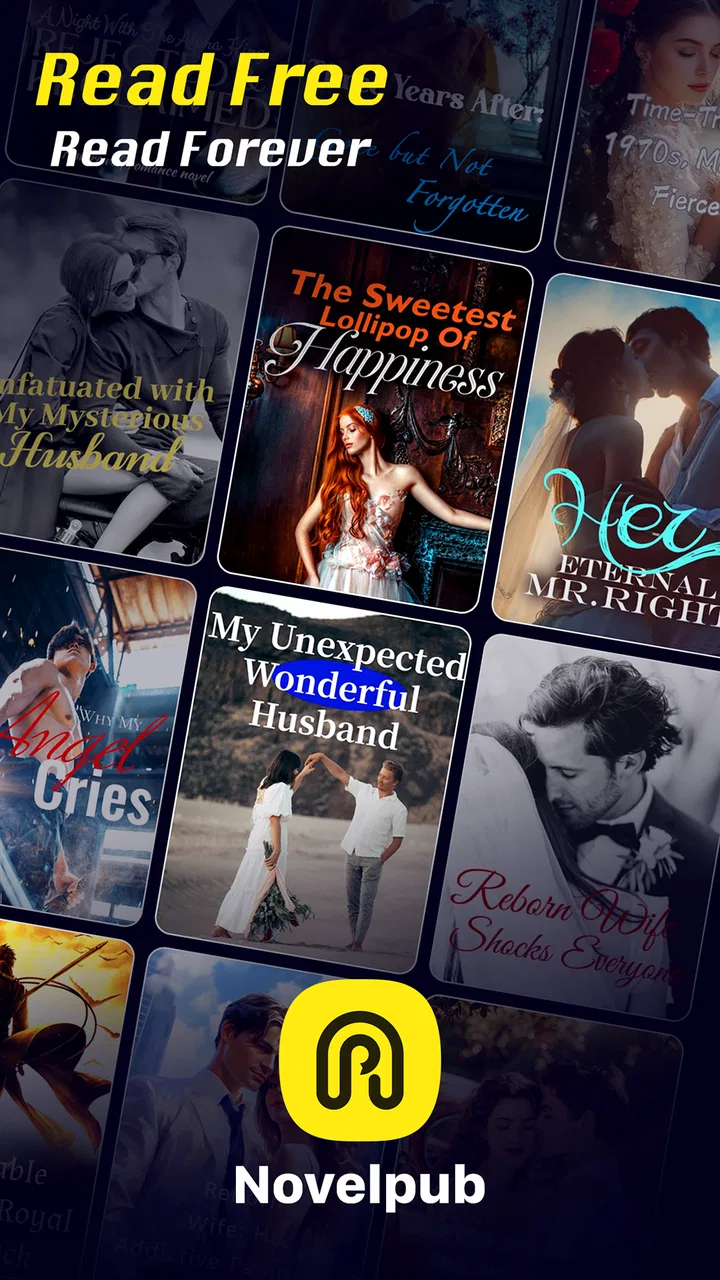
NovelPub-Wonderful Reader
- 3.3
- Rating
- 100.00K
- Installs
- Free
- Price

 Analysis by App-foxy
NovelPub-Wonderful Reader is the kind of reading app I would try when I want a novel on my phone without building a complicated library first. It sits in the Books & Reference category and comes from X-Reader, with a focus on popular novels and original fiction in one place. The idea is easy to understand: open the app, browse until something catches your attention, and settle into a story.
My first impression is that it feels aimed at readers who prefer discovering fiction inside an app rather than choosing a single book in advance. That makes it useful for short breaks, commuting, waiting rooms, or winding down before sleep. It is free to install, although individual in-app items range from $0.99 to $49.99, so I would pay attention to any purchase prompt before confirming it.
The app has a Mature 17+ content rating, which is important to consider before handing it to a younger reader or recommending it as a general family reading tool. It supports Android 7.0 and newer, and the current version is 2.0.5. Those details make it accessible to many older Android phones, though the experience can still depend on the device and on how comfortably you like to read from a smaller screen.
You May Also Like

 Blood Strike: 2.5 Anniversary
Blood Strike’s Loadouts Turn Every Drop Into a Tactical Gamble
A close look at Blood Strike’s custom loadouts: how fast access to signature weapons reshapes its battle royale rhythm, rewards preparation, and narrows the gap between fights.

 Pandora - Music & Podcasts
Pandora’s Music Is Easy to Start, but Harder to Recover
Pandora’s strength is its low-effort path from a seed to a station. Its weak spot is how much confidence it asks you to place in connection, setup, and quiet recovery.

 8 Ball Pool
8 Ball Pool Is Built on Rivalries, Rematches, and Routine
A close look at the rivalries, rematches, shared routines, and unanswered safety questions that turn a quick pool match into a persistent mobile community.

 Samsung Music
Samsung Music’s Quiet Strength Is Playing What You Already Own
Its reach comes less from spectacle than from dependable access to a personal library. That simplicity is both the app’s strongest retention engine and its ceiling.

 AccuWeather: Weather Radar
AccuWeather Review: A Quick, Clear Forecast for Everyday Decisions
For everyday plans, the best forecast is the one you can understand quickly. AccuWeather makes rain timing, radar, and local conditions easy to act on, with a few trade-offs.

 Hill Climb Racing
Why Hill Climb Racing Still Turns Crashes Into One More Run
A tiny car, a bumpy hill and one more upgrade: Hill Climb Racing keeps resurfacing because its simple chaos makes every near-miss feel personal.
More From Our News Desk



What to expect when you open NovelPub
I would not approach this as a replacement for a dedicated e-reader with a carefully managed personal collection. Its appeal is more immediate: it brings fiction discovery and reading into the same place. If you often spend too long deciding what to read, that can be a real advantage. Instead of searching several services, you can browse the selection and follow your curiosity.
The store short description is simply “NovelPub,” while the longer summary presents it as a reader combining popular novels with originals. In practical terms, that suggests two different reasons to use it. You may arrive looking for a familiar type of story, or you may be willing to take a chance on something less familiar. I found that distinction useful because it changes how I use the app: sometimes I search with a specific mood in mind, and sometimes I treat the catalogue like a shelf to explore.
Readers who enjoy serialized or app-based fiction will probably feel more at home here than people who only want standard ebook files. The experience is built around reading within the application, not around replacing every other reading service you already use. If your priority is owning downloadable books in a format that works across many unrelated apps, a conventional ebook store may be a better fit.
The public response is mixed rather than overwhelming. NovelPub currently has a 3.3 average from around two hundred ratings, alongside dozens of written reviews, and it has passed the hundred-thousand-install mark. I read that as a reason to try it with modest expectations: there is enough interest to make the catalogue worth exploring, but the rating does not suggest a universally smooth experience.
Who is most likely to enjoy it?
I think it works best for a reader who likes having several possible stories available and does not mind spending a little time browsing. It is also a sensible option for someone who reads in bursts. You can use a few spare minutes to look for a promising novel, then return when you have a longer break.
It is less convincing for someone who wants a distraction-free, premium reading environment above everything else. A person who already has a large ebook collection, prefers physical books, or needs a highly predictable catalogue may find the discovery-first approach less satisfying. I would also skip it for a child because the Mature 17+ rating makes it unsuitable as a casual family reading recommendation.
Getting through the first setup without overthinking it
My advice for a first-time user is to keep the initial session simple. Install the app on a supported Android device, open it, and resist the temptation to judge the whole service before you have found one story that genuinely interests you. The first meaningful success is not adjusting every possible preference; it is reaching a novel you actually want to continue reading.
Start by looking for a title based on mood rather than trying to understand the entire library. For example, decide whether you want romance, suspense, fantasy, or a lighter read, then use the available browsing and discovery paths to narrow your attention. This is more efficient than opening many titles at random. When an app offers a broad mixture of popular and original fiction, a clear reading intention helps prevent endless scrolling.
Once you find a promising title, read enough of its opening to test the writing style. I would not make a purchase decision from a cover or short description alone. Check whether the first pages hold your attention, whether the pacing suits the time you have available, and whether the tone matches what you expected. This small habit is especially useful in an app where discovery is part of the experience.
Your first goal should be one satisfying reading session, not a perfectly organized library. That approach makes the app feel less demanding and gives you a fair way to decide whether its selection suits you.
A realistic first-day routine
Imagine opening NovelPub during a lunch break with only a few minutes to spare. I would browse until I found two or three possible novels, open the one with the strongest opening, and read far enough to decide whether I wanted to return later. I would then note the title mentally or keep it easy to find inside the app, rather than starting several books at once.
That workflow avoids a common problem with reading platforms: collecting possibilities without reading any of them. If you have a longer evening later, return to the strongest candidate and continue. If it no longer feels right, move on without treating the first choice as a commitment. The value of this app is partly in making that experimentation convenient.
For bedtime reading, I would also consider the phone itself. A bright screen, notification interruptions, or an uncomfortable font size can make the app seem worse than the story. Lower the display brightness, silence distractions, and hold the device at a comfortable distance. These are ordinary phone adjustments, but they matter more when your entire reading session happens on a mobile screen.
Turning the first read into a useful habit
After finding one title worth continuing, I would use the app in a deliberately narrow way. Keep one main novel as your current read and use browsing only when you have finished a section or genuinely lost interest. This prevents the catalogue from becoming a source of indecision.
A useful second step is to separate “interesting” from “ready to read.” I often see several appealing covers, but only one or two have an opening that fits my mood. Treating those as separate decisions helps me avoid starting stories simply because they are visible. It also gives the app a clearer job: discovery first, then sustained reading.
Another practical trade-off is cost awareness. The app itself is free, but in-app items can cost from $0.99 to $49.99 each. I would read without buying anything during the first session, learn how the reading flow works, and only then decide whether a paid item is worthwhile. If a purchase appears while I am caught up in a story, I would pause and check exactly what is being offered rather than tapping automatically.
This is not just about saving money. It also helps you judge whether the app matches your reading habits. Someone who wants a completely free reading experience may become frustrated if the story they prefer leads toward paid content. Someone comfortable paying for selected fiction may see that same structure as reasonable, provided the choices are clear.
Three details that can improve the experience
- Choose by reading situation: keep a fast-moving story in mind for short breaks and reserve a slower, more immersive novel for evenings when you can concentrate.
- Test before committing: use the opening pages to judge voice and pacing instead of relying only on the title or cover.
- Delay purchases during discovery: first confirm that you enjoy the app’s reading flow and that the story holds your attention.
These habits are more valuable than simply installing the app and scrolling through its catalogue. They turn a broad fiction service into something easier to manage, especially if you tend to begin many books and finish few.
Where new users may become confused
The biggest possible point of friction is understanding the boundary between free access and paid items. Because the app is free to install but includes purchases, I would not assume that every appealing novel follows the same access model. Watch for purchase language and take a moment to understand what you are receiving before confirming anything.
A second source of confusion is the difference between popular novels and originals. A familiar title may give you an easy starting point, but original fiction can be the reason to stay. If you only search for recognisable names, you may miss the part of the catalogue that makes the app feel different from a standard ebook storefront.
The Mature 17+ rating is another detail that should not be brushed aside. It does not mean every reading session will suit every adult, but it does mean I would use personal judgement about the material and avoid presenting the app as suitable for younger readers. If you are choosing something for a shared family tablet, a more age-flexible reading service would be safer.
Some users may also expect the app to behave like a traditional book-management tool. I would not assume that every feature found in a dedicated ebook reader is central here. If you need extensive personal file management, a broad device ecosystem, or a library built around books purchased elsewhere, compare those needs carefully before making NovelPub your main reader.
The rating of 3.3 is a useful reminder to pay attention to your own experience rather than relying on the app’s concept alone. A catalogue can be appealing while navigation, reading comfort, or access choices still affect whether you enjoy using it. I would give it a fair trial with one or two stories, then decide based on actual reading time.
How it compares with familiar alternatives
Compared with a standard ebook store, NovelPub seems more focused on browsing fiction within its own environment. A traditional store is often better when you already know the exact book you want, want to purchase a specific edition, or need a larger ownership-based library. NovelPub is more attractive when you want the app to help you discover what to read next.
Compared with a basic PDF or EPUB reader, it is a different proposition altogether. A file reader is useful when you already have books stored on your phone and want control over those files. NovelPub makes more sense when the main task is finding and reading novels through the service itself. If you have a carefully collected folder of ebooks, installing it will not automatically replace the reader you already trust.
Compared with a subscription reading service, the important question is how you feel about individual in-app purchases. A subscription can be easier for readers who consume many books and prefer one recurring payment. NovelPub may suit someone who wants to explore selected fiction and decide title by title, but the price range means you should not assume that frequent reading will always be the cheaper route.
It also differs from a physical book in ways that are both convenient and limiting. Your phone is already with you, so starting a novel requires no extra device. On the other hand, the screen can invite interruptions, and long sessions may be less comfortable than paper or an e-ink reader. I would use it for portability and discovery, while keeping a dedicated e-reader or physical book for longer, more focused sessions if screen fatigue becomes an issue.
Who should try it, and who should look elsewhere?
I would recommend giving it a chance if you enjoy discovering fiction, want popular and original novels together, and are comfortable reading on Android. It is especially suitable for casual readers who want a story ready during spare moments rather than a complicated system for managing a large collection.
I would be more cautious if you are highly sensitive to paid prompts, require a completely free catalogue, or want certainty about every book before opening the app. The in-app purchase range deserves attention, and the Mature 17+ rating rules it out for younger audiences. Readers who already have a well-organised ebook library may also gain little unless the discovery side appeals to them.
For an older phone, the minimum Android requirement of 7.0 is reassuring, but compatibility alone does not guarantee a comfortable session. On a small display, I would test the text size, scrolling feel, and general readability before settling in. If those basics are uncomfortable, no amount of catalogue variety will make the app a good everyday reader for you.
My final take after using it as a mobile fiction reader
NovelPub-Wonderful Reader has a clear purpose: make it easy to discover and read popular novels alongside original fiction from a phone. I like that it can turn a few spare minutes into a genuine reading opportunity, and I think its strongest users will be people who enjoy browsing rather than arriving with one fixed title in mind.
At the same time, I would not describe it as an automatic replacement for every reading tool. The free installation comes with in-app purchases, the Mature 17+ rating limits its audience, and the mixed 3.3 average suggests that the experience may not satisfy everyone. Those are not reasons to dismiss it, but they are good reasons to start slowly and judge it through an actual reading session.
My recommended path is straightforward: install it on a supported Android device, browse with a specific mood in mind, test one opening, and postpone purchases until you understand how the app fits your habits. If you finish that first session wanting to return to the same story, the app has already proved its main value. If you find yourself missing a personal ebook library, a cleaner premium reader, or a broader age range, a conventional alternative will probably serve you better.
For me, the deciding factor is not the promise of endless choice but the chance of finding one story quickly and enjoying it. Used that way, NovelPub is a worthwhile free starting point for adult mobile readers who want discovery, convenience, and a mixture of familiar and original fiction in one reading app.
FAQs for NovelPub-Wonderful Reader
01What is NovelPub-Wonderful Reader?
NovelPub-Wonderful Reader is a mobile reading app designed for people who enjoy serialized fiction and digital novels. It typically organizes stories by genre, popularity, updates, and reading progress, allowing users to discover new titles and continue chapters from where they stopped. Before downloading, readers should check the current catalog, supported languages, and whether the stories they want are available in their region.
02Is NovelPub-Wonderful Reader free to use?
The app may be free to download, but access to all chapters or features can depend on the publisher’s monetization system. Some novels may offer free chapters, while later content can require coins, credits, advertisements, subscriptions, or individual purchases. Review the in-app pricing carefully before spending money, and check whether automatic subscription renewal is enabled through your app-store account.
03Does NovelPub-Wonderful Reader require an internet connection?
An internet connection is generally needed to browse the library, load new chapters, synchronize reading progress, and process purchases or rewards. Depending on the version, selected chapters may be available for offline reading after being downloaded, although this feature may be limited to certain titles or account types. Mobile data users should also monitor downloads because long novels can consume considerable storage and data.
04What types of novels are available in NovelPub-Wonderful Reader?
The selection commonly focuses on popular serialized fiction, including romance, fantasy, drama, mystery, werewolf, billionaire, historical, and other story-driven categories. Availability can change as publishers add, remove, or update titles. Readers should review the description, tags, age guidance, and content warnings before starting a novel, especially because some stories may contain mature themes, violence, or emotionally intense situations.
05Is NovelPub-Wonderful Reader safe for my device and personal information?
Download NovelPub-Wonderful Reader only from a legitimate Google Play Store or Apple App Store listing, and verify the developer name, ratings, update history, and requested permissions. Avoid unofficial APK files or modified versions, which may contain security risks. Before creating an account or making purchases, read the privacy policy to understand how login details, device information, reading activity, and payment-related data are handled.
Pros
- Large catalog of romance and serialized fiction to explore.
- Personalized recommendations help match stories to your reading interests.
- Offline reading makes chapters available without a constant connection.
- Adjustable text size and reading settings improve comfort.
- Regular chapter updates keep ongoing stories engaging.
Cons
- Some chapters or books may require coins
- subscriptions
- or in-app purchases.
- The reading experience can vary depending on translation quality.
- Frequent notifications may feel excessive for some readers.
- New users may find the coin and reward system confusing.
- Availability of titles and features may differ by region.

NovelPub-Wonderful Reader
Gallery